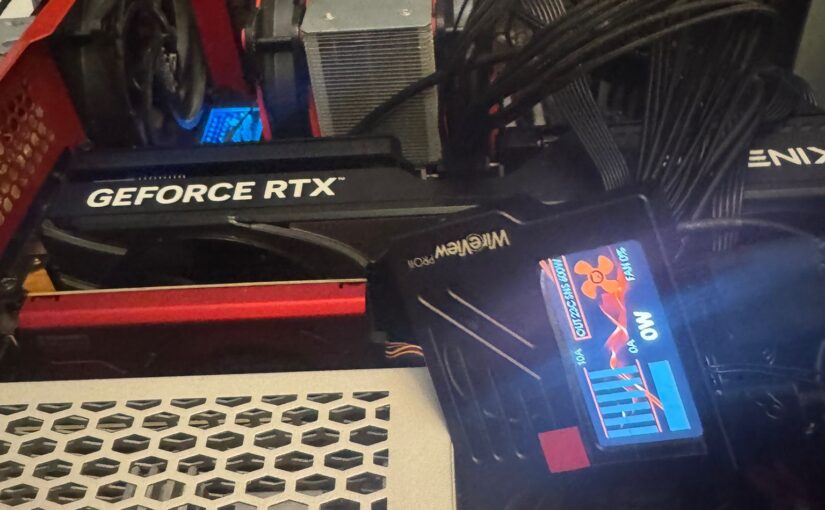
if you are not somewhat living under a rock and have at least a small interest in gaming, or graphical intensive work, you might have heard of the 12VHPRW connector and its wonderful tendency to sometimes melt for its user and therefor, “marry” the plug of the PSU and the jack of the GPU for good.
So I have managed to snag an affordable Gainward 5070Ti @16 GB GDDR7 VRAM Phoenix-S gpu and at just 56 € over MSRP.
I had to use an 12VHPRW extension cable as unfortunately the plug on the GPU side is too much sunk in,
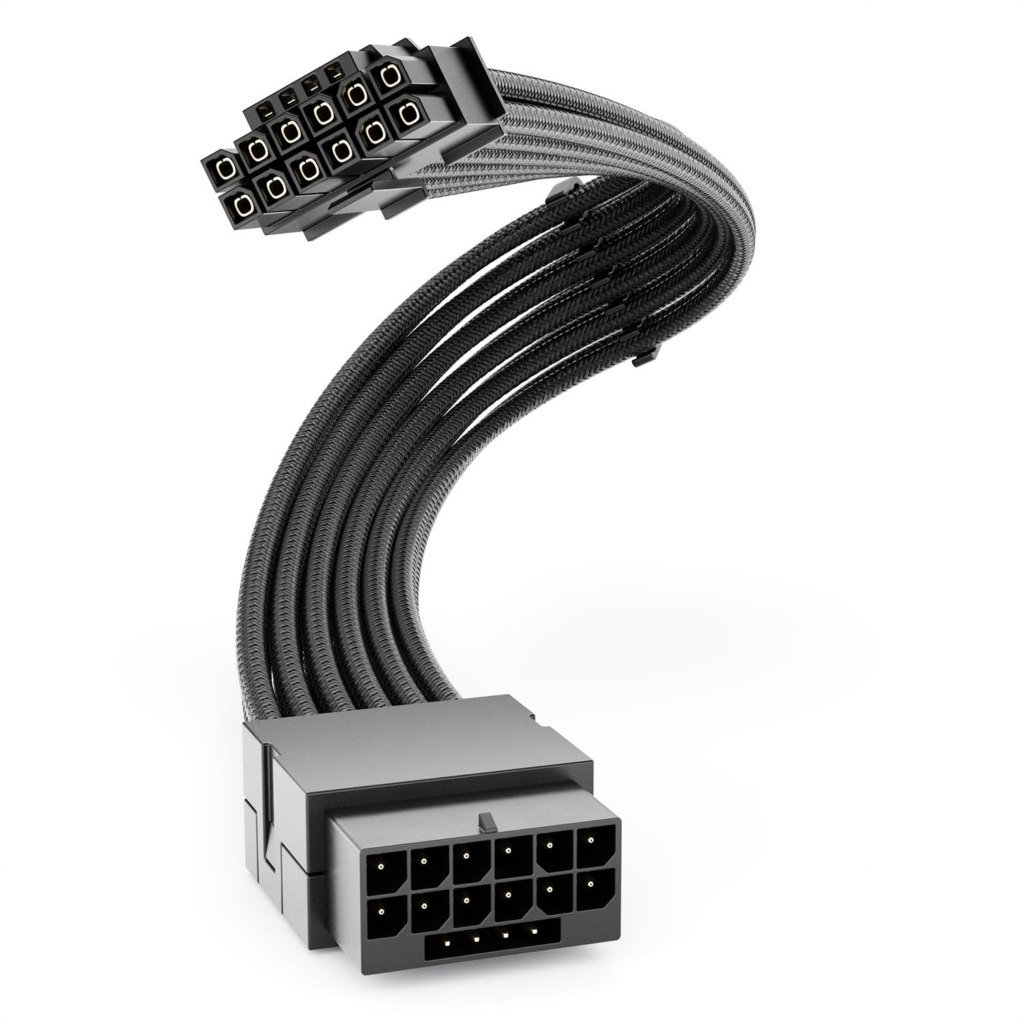
However in the end it worked fine, as I used 2 zip ties to tuck them onto the upper drive bay which made it go flush with the case’s side window. As this way the WireView Pro II’s fan will never spin as it isn’t stuck into the GPU’s connector directly, it will be just fine.
The use of an extension cable was a solution suggested by Roman of Thermal Grizzly himself and he assured me, this is actually also covered by their extended warranty against damages to the card if the monitoring of the unit fails.
(The featured image of this post does not reflect the final stage of the upgrade).
After extracting its monitor software, installing its drivers and applying a firmware update, I experienced 2 shortcomings not reported by the many press publications or youtubers reporting about the WireView Pro II, and this is the hardware and driver sideffects and incompatibilities.
For once, because my motherboard has only 2 USB 2.0. connectors for front USB, and I already have both populated for front USB 2.0 port of the case and the other for a front 7 x USB 2.0 hub, I had to use 2 USB 2.0 splitters, one to allow the USB 4.0 expansion part of ASUS to perform firmware updates, and another to allow the Thermal Grizzly device to do the same.
Turns out, on the hardware side, sharing a USB 2.0 connector of the board with my Zealosund K66 Pro+ microphone makes the device description being blocked to Windows, hence it cannot detect and initialize at all.
Hence, I had to change its USB port to go to the case’s own USB 2.0 port instead, glad my mic has a long USB cable!
The other is, that the Logitech Bolt receiver I use for my “MX Master 4 for Mac” has decreased reception, so my mouse stutters and delays all over the place.
Swapping from rear USB ports to the front USB 2.0 hub fixed that.
Logitech issued an update earlier this week but of course it did not address this.
Both interference have been reported to Thermal Grizzly and have been told their software development department will look into supplying a fix.